
How to Use Our Free iOS Fax App
FaxBurner turns your iPhone or iPad into a fax machine. Download the app, get a free fax number, and send or receive your first fax in under a minute. No credit card required.
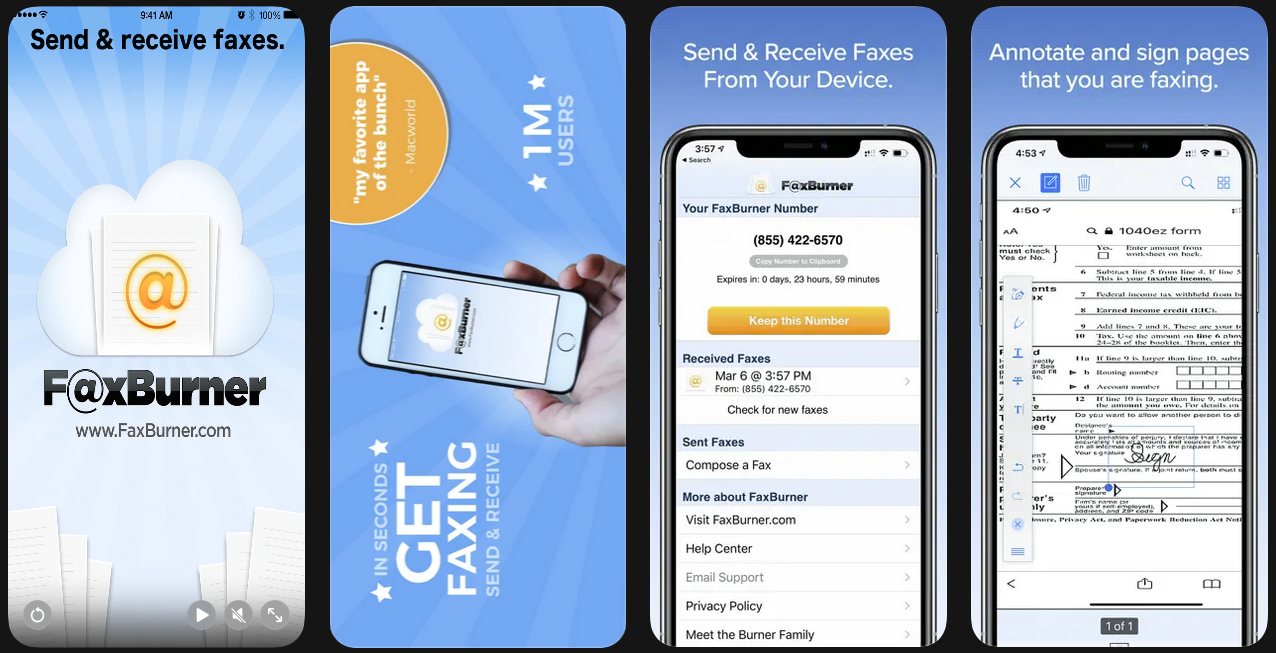
Getting Started With FaxBurner on iPhone and iPad
Setting up FaxBurner takes about 30 seconds. Here’s what to do:
- Download the app from the App Store. It’s free — no credit card required.
- Create your account by entering your email address. No subscription is needed to get started.
- Reserve your fax number by tapping “Reserve a Fax Number.” You’ll get a working fax number instantly that you can use to both send and receive faxes.
Once you have your number, you’re ready to fax. Your free account includes 5 outbound fax pages and 25 inbound pages per month.
Download the FaxBurner iOS fax app here
FaxBurner facilitates e-mail to fax sending, so you technically don’t need to download an app. However, if you prefer built-in functionality and an organized inbox/outbox, you’ll love our app.
Download from the App Store

How to send and receive faxes on iOS for free:
Sending a fax from your iPhone works like composing a text message or email.
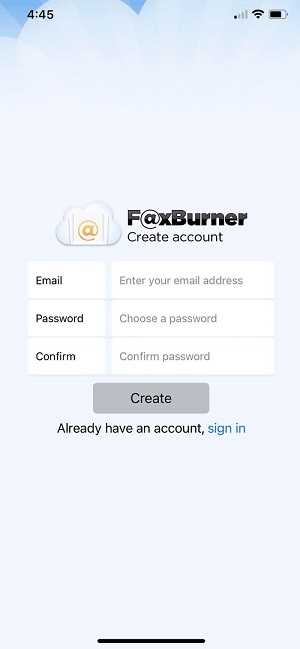
Step one: use the app to create a new account
No credit card is needed to create your account.
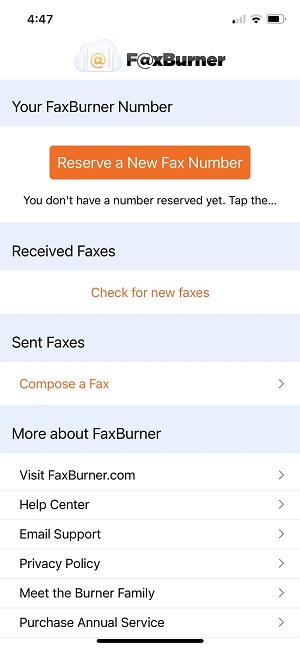
Step two: claim your free fax number
Tap “Reserve a Fax Number.” You’ll get a working fax number instantly that you can use to both send and receive faxes.
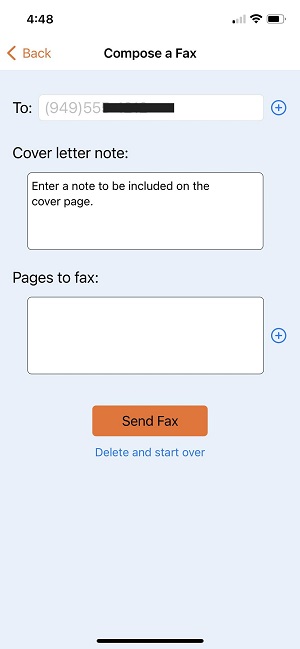
Step three: compose a fax
- Open the app and tap “Compose a Fax”
- Enter the recipient’s fax number at the top of the screen
Step four: attached fax files
- Attach your document — you can snap a photo of a paper document, upload a PDF, or import a file from Dropbox, iCloud, Google Drive, or your photo library
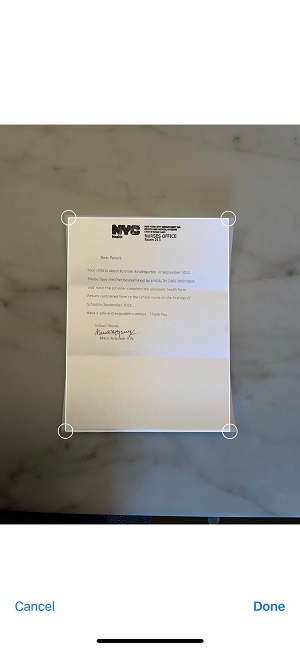
If using the camera to scan a document or take an image, use the app to crop unnecessary background out of the image
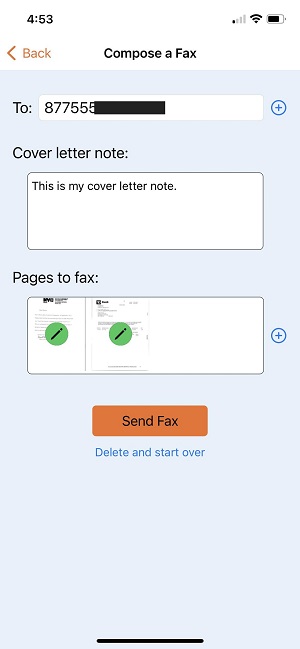
Step five: send a fax
- Add a cover sheet if needed — type a brief message and it will appear as the first page of your fax (optional)
- Tap Send
How to receive a fax with the FaxBurner iOS App
When you reserve your fax number, you can share it with anyone who needs to fax you. Here’s what happens when a fax comes in:
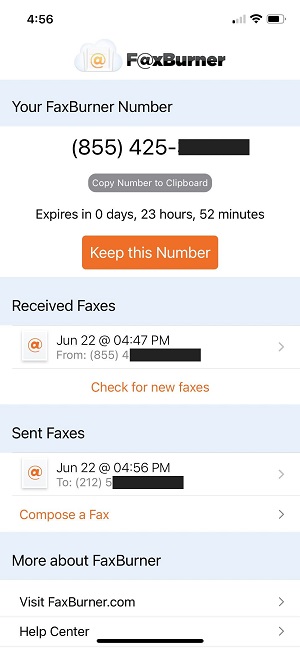
- The fax arrives as a PDF in the app and your email inbox
- You get a push notification so you know immediately
- The document is stored in your fax history for easy access later
- From there, you can view the fax, share it, save it to cloud storage, print it, or forward it by email.
This is useful when a doctor’s office, insurance company, government agency, or business needs to send you documents by fax. Instead of tracking down a fax machine, give them your FaxBurner number and receive everything on your phone.
Free accounts include a temporary fax number that’s active for 24 hours and up to 25 received pages per month. Premium accounts include a permanent fax number you keep indefinitely, along with higher page limits.
Why 1.5 million+ people choose FaxBurner to send and receive faxes
- Actually free – Send your first fax free, with no credit card required. Upgrade only if you need more.
- #1 rated fax app – 4.8 stars on the App Store with thousands of 5-star reviews.
- Works in seconds – Get a fax number and send your first fax in under 30 seconds.
- Send from email too – Don’t want to download an app? Fax directly from your email address.
- Multiple file types – Fax PDFs, photos, documents from cloud storage, or snap a picture of a paper document with your phone camera.
- Receive faxes – Get your own fax number and receive incoming faxes as PDFs in your inbox.
- No fax machine needed
Create your FaxBurner account for free
From sign-up to faxing in less than 60 seconds, including your personal fax number.
Frequently Asked Questions
Is the FaxBurner app free to download?
Yes. The app is free to download from the App Store, and creating an account is free. You don’t need to enter a credit card or start a trial. Free accounts include 5 outbound fax pages and 25 inbound pages per month.
Can I send a fax from my iPhone without a subscription?
Yes. Download the app, create a free account, and you can send a fax immediately. The free account includes 5 outbound pages, which is enough for most single-document faxes. Subscriptions are only needed if you want a permanent fax number or higher page limits.
What file types can I fax?
FaxBurner accepts PDFs, photos (JPG, PNG), and other common document formats. You can also use your phone’s camera to scan paper documents directly in the app. For the best fax quality, PDF is recommended. The app supports importing files from Dropbox, iCloud, Google Drive, and email attachments.
How long does it take to send a fax?
Most faxes are delivered within a few minutes. The exact time depends on the number of pages, file size, and the recipient’s fax machine. A typical 1–5 page document takes under five minutes from Send to delivery. You’ll get a confirmation as soon as it goes through.
How do I know my fax was delivered?
FaxBurner sends a delivery confirmation by email and push notification once your fax is successfully transmitted. If there’s a problem — busy signal, wrong number, or the recipient’s machine is offline — you’ll be notified with the reason so you can retry.
Can I receive faxes on my iPhone?
Yes. When you create a FaxBurner account, you can reserve a fax number. Incoming faxes arrive as PDFs in the app and your email inbox. Free accounts include a temporary number (active for 24 hours) and 25 inbound pages per month. Premium accounts include a permanent number.
Does FaxBurner work on iPad?
Yes. The FaxBurner app is available for both iPhone and iPad on the App Store. Your account and fax history sync across devices.
Does FaxBurner have an Android app?
FaxBurner’s mobile app is currently available for iOS only. However, Android users can fax using FaxBurner’s email-to-fax feature — no app download needed. Create a free account at faxburner.com and send faxes from Gmail, Outlook, or any email app on your Android device.
Can I fax internationally?
FaxBurner primarily supports faxing within the United States and Canada. International fax support may vary by plan level — check FaxBurner’s current plan options for details.
Do I need a cover sheet?
No. Cover sheets are optional. FaxBurner lets you add one by typing a brief message that appears as the first page of your fax. Many business and medical faxes include a cover sheet for routing and context, but it’s not required. For formatted templates, see our free fax cover sheet templates.
Is faxing from the app secure?
Yes. FaxBurner transmits your documents securely to the recipient’s fax machine. Your faxes go through FaxBurner’s servers and are delivered directly — there’s no shared office machine where someone else could see your documents. For most personal and business faxing, app-based faxing offers better document privacy than a traditional fax machine.
How is FaxBurner different from other fax apps?
FaxBurner has been a fax app since 2010 and is one of the original iOS fax services. A few things set it apart: free accounts don’t require a credit card or subscription, you can both send and receive faxes on the free tier, and you can fax from the app or from email (most fax apps only support one or the other). The app is rated 4.8 stars on the App Store with over 1.5 million users.
Start faxing for free
From sign-up to faxing in less than 60 seconds.