How to Receive Faxes for Free with FaxBurner
Get a free fax number instantly and receive faxes to your iPhone, email, or online. Incoming faxes arrive as PDFs you can view, download, or share from anywhere.
How to Receive a Fax Online With FaxBurner
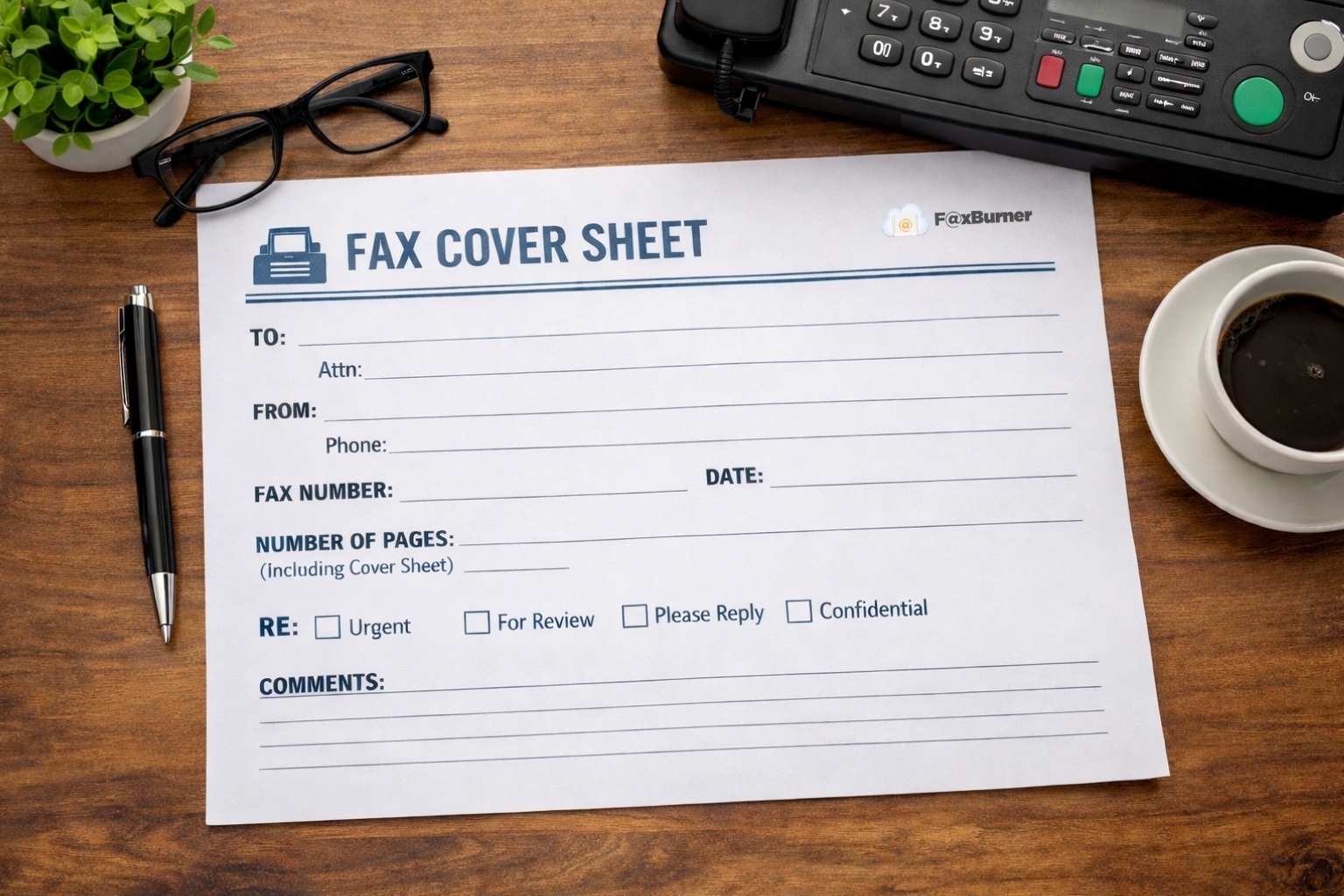
- Get your free fax number – Download the FaxBurner app or create an account online. Tap “Reserve a Fax Number” and you’ll have one instantly.
- Share your number – Give your new fax number to whoever needs to send you a fax. They send it from their fax machine or fax service just like any other fax number.
- Receive your fax – Incoming faxes arrive as PDFs in the FaxBurner app and your email inbox. View, download, print, or forward—all from your phone or computer.
iOS User? Receive Faxes Directly in the FaxBurner App
About the FaxBurner iOS App
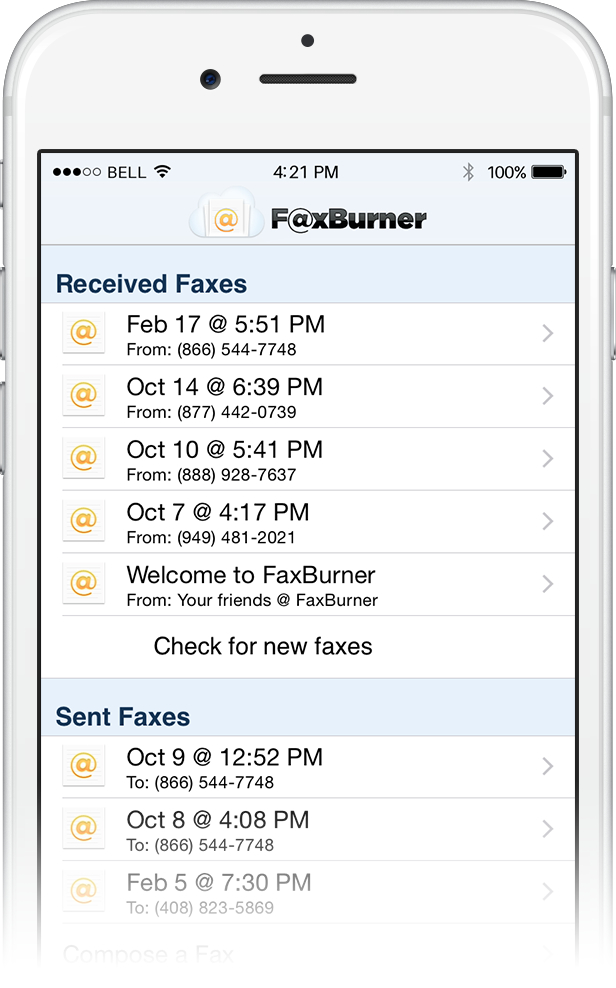
To receive your free fax (up to 25 pages per month), simply open the FaxBurner app on your phone or tablet and click “Reserve a Fax Number.” Your number will appear and is immediately ready for use.
Incoming faxes will be stored within the app for easy access. You will also receive the fax to the email address associated with your FaxBurner account.
Download from the App Store

Receive faxes Online and Via Email
About the FaxBurner Web App
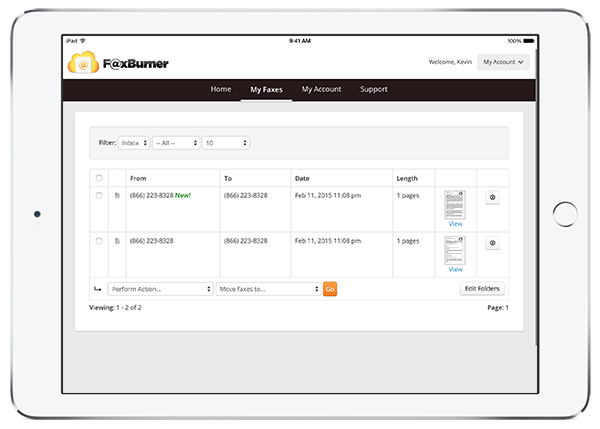
The FaxBurner web app works on all devices, including computers, smartphones, and tablets.
Login to your FaxBurner account via the credentials sent to your email when you signed up. On the home screen, click “reserve my fax number”.
Faxes sent to your new fax number will appear in your FaxBurner inbox as well as sent directly to your email.
Create your FaxBurner Account
Why 1.5 Million+ People Choose FaxBurner
- Actually free – Receive your first fax free, with no credit card required.
- Upgrade only if you need more.
- #1 rated fax app – 4.8 stars on the App Store with thousands of 5-star reviews.
- Works in seconds – Get a fax number and start receiving faxes in under 30 seconds.
- Send from email too – Don’t want to download an app? Fax directly from your email address or from our website.
- Receive faxes – Get your own fax number and receive incoming faxes as PDFs in your inbox.
- No fax machine needed
Create your FaxBurner account for free
From sign-up to faxing in less than 60 seconds, including your personal fax number.
Frequently Asked Questions
How do I get a free fax number to receive faxes?
Download the FaxBurner app or create a free account on faxburner.com. Once you’re in, tap “Reserve a Fax Number.” You’ll get a working US fax number in seconds—no credit card, no verification process, no waiting. Share that number with whoever needs to fax you, and incoming faxes will arrive in the app and your email as PDFs.
Can I receive a fax without a fax machine?
Yes. FaxBurner receives faxes on your behalf and delivers them to your iPhone or email as PDF files. The person sending the fax uses your FaxBurner number exactly like a regular fax number—they don’t need to know or do anything differently on their end. Their fax machine sends the fax, and you receive it digitally.
Can I receive faxes to my email?
Yes. Every fax sent to your FaxBurner number is automatically forwarded to the email address linked to your account. The fax arrives as a PDF attachment, so you can open it on any device. This works with Gmail, Outlook, Yahoo, iCloud Mail, or any other email provider.
Is FaxBurner really free for receiving faxes?
Yes. Free accounts can receive up to 25 pages per month at no cost. There’s no credit card required, no trial period that expires, and no hidden fees. You also get a free fax number each time you need one. The only limitation is that free fax numbers last 24 hours—if you need a permanent number, paid plans start at $4.99/month.
How long does my free fax number last?
Free fax numbers are active for 24 hours. You can request a new one anytime you need it. If you need a permanent fax number that stays the same, upgrade to a paid plan and your number is yours for as long as your account is active.
How quickly do faxes arrive?
Most faxes arrive within a few minutes of being sent. You’ll get a notification in the FaxBurner app and an email with the fax attached as a PDF. The exact timing depends on the length of the document and the sender’s fax machine, but for a standard one-to-five page fax, expect delivery in under five minutes.
What format do received faxes come in?
All incoming faxes are delivered as PDF files. You can view them on any device, download them, print them, or forward them to someone else. PDFs preserve the formatting of the original document, so what you see is exactly what was sent.
Can someone send me a fax from a regular fax machine?
Yes. That’s exactly how it works. Your FaxBurner number looks and functions like any other fax number. The sender dials it from their fax machine, feeds in their document, and hits send. The fax is transmitted to FaxBurner’s servers and delivered to your phone and email as a PDF. The sender doesn’t need to know you’re using an app—it’s seamless on their end.
Can I receive faxes on my iPhone?
Yes. Download the free FaxBurner app from the App Store, reserve your fax number, and incoming faxes appear directly in the app. You can also view them in your email. The app lets you view, annotate, sign, and forward faxes right from your phone.
How many pages can I receive for free?
Free accounts include 25 incoming pages per month. That’s enough for most personal and occasional business use. If you need more, paid plans include higher page limits along with a permanent fax number and additional features like fax archiving.
Can I keep the same fax number permanently?
Yes, but not on the free plan. Free numbers rotate every 24 hours. If you need a consistent fax number—for example, to print on business cards or give to a doctor’s office—upgrade to a paid plan. Your number stays the same for as long as your account is active, and you can even port an existing fax number to FaxBurner.
Is receiving faxes online secure?
Yes. Your faxes are transmitted to FaxBurner’s servers and delivered directly to your personal email and app—no shared fax machine where anyone could see your documents. Faxes are stored securely and accessible only through your account. For most personal, business, and professional use cases, this provides better privacy than a traditional fax machine in a shared office.
Start faxing for free
From sign-up to faxing in less than 60 seconds.